This series starts where an NDK install ends. NDK is installed, the pods are green, and now you want to protect something. Part 1 explains how NDK sees a workload and walks through the first object you create: the Application.
Every command and every output below was run on our lab on 2026-09-19. Nothing here is copied from a datasheet.
What NDK actually does
Nutanix Data Services for Kubernetes (NDK) is an operator. It runs in ntnx-system and watches a set of custom resources. When you ask for a snapshot, it collects the Kubernetes manifests of your application, asks Prism to snapshot the underlying volume groups, and stores both together as one consistent unit. Restore and replication work on that same unit.
The important point: NDK protects applications, not PVCs. A snapshot always includes the manifests (Deployment, ConfigMap, Service, PVC) and the volume data. That is what makes a restore usable without a second tool.
All manifests in this part are in github.com/Fen0l/ndk-examples, the same files we applied on the lab.
Prerequisites
| Item | Our lab |
|---|---|
| NKP cluster | itcs-nkp-mgmt-prod, NKP 2.18, Kubernetes 1.35.2 |
| Nutanix CSI | 3.7.1 (NDK 2.3 enforces this floor at install time) |
| NDK | 2.3.0, helm release ndk in ntnx-system |
| Prism Central | 7.6, Prism Element cluster PIKACHU |
| StorageClass | nutanix-volume (Nutanix Volumes, block) |
If NDK is not installed yet: helm 3.x only (Helm 4 is not supported), the chart runs prechecks at install time (CSI version, Prism secret, TLS mode), and the air-gapped bundle ships six images. Our install runbook is a separate article.
The CRD map
NDK 2.3 installs 19 CRDs. Listing them is the fastest way to understand the product surface.
kubectl get crd -o name | grep -E 'dataservices.nutanix.com|scheduler.nutanix.com' | cut -d/ -f2
applications.dataservices.nutanix.com
applicationsnapshotcontents.dataservices.nutanix.com
applicationsnapshotreplications.dataservices.nutanix.com
applicationsnapshotrestores.dataservices.nutanix.com
applicationsnapshots.dataservices.nutanix.com
appnearsyncprotectioncontents.dataservices.nutanix.com
appnearsyncprotections.dataservices.nutanix.com
appplannedfailovers.dataservices.nutanix.com
appprotectionplans.dataservices.nutanix.com
appunplannedfailovers.dataservices.nutanix.com
fileserverreplicationrelationships.dataservices.nutanix.com
filesreplicationpolicies.dataservices.nutanix.com
haapplicationcontents.dataservices.nutanix.com
haapplications.dataservices.nutanix.com
jobschedulers.scheduler.nutanix.com
protectionplans.dataservices.nutanix.com
remotes.dataservices.nutanix.com
replicationtargets.dataservices.nutanix.com
storageclusters.dataservices.nutanix.com
You will only touch a handful of them by hand. Grouped by job:
| You create | NDK creates for you | Purpose |
|---|---|---|
StorageCluster |
Link between the cluster and Prism (one per cluster) | |
Application |
What to protect (label selectors in one namespace) | |
ApplicationSnapshot |
ApplicationSnapshotContent |
A point-in-time copy (Part 2) |
ApplicationSnapshotRestore |
Bring an application back from a snapshot (Part 2) | |
JobScheduler, ProtectionPlan, AppProtectionPlan |
Scheduled snapshots and retention (Part 3) | |
Remote, ReplicationTarget |
ApplicationSnapshotReplication |
Copy snapshots to another cluster (Part 4) |
AppPlannedFailover, AppUnplannedFailover |
HAApplication, HAApplicationContent |
Sync and NearSync failover, needs a PE-level sync topology |
FilesReplicationPolicy, FileServerReplicationRelationship |
Nutanix Files shares, not covered in this series |
The pattern is the same one Kubernetes uses for volumes: a namespaced object you create (ApplicationSnapshot) and a cluster-scoped object NDK binds to it (ApplicationSnapshotContent). If you know PVC and PV, you already know how to read this.
All 19 CRDs are still v1alpha1. Expect field changes between releases and pin your manifests to the version you tested.
StorageCluster: the link to Prism
Before NDK can snapshot anything, it needs to know which Prism Element holds the volumes and which Prism Central manages it. That is the StorageCluster, one per Kubernetes cluster, cluster-scoped.
apiVersion: dataservices.nutanix.com/v1alpha1
kind: StorageCluster
metadata:
  name: itcs-storage-cluster
spec:
  storageServerUuid: 000623f4-7174-ae2a-0000-00000001c1da     # Prism Element (PIKACHU)
  managementServerUuid: 36feb6ab-2508-4451-8c73-bed665e94892  # Prism Central
Both UUIDs come from one Prism Central API call. PC lists itself as a cluster, next to every PE it manages:
curl -sk -u admin -X POST https://10.12.54.8:9440/api/nutanix/v3/clusters/list \
  -H 'Content-Type: application/json' -d '{"kind":"cluster"}' \
  | jq -r '.entities[] | "\(.metadata.uuid) \(.spec.name)"'
0006237e-c983-e712-0000-00000001c1d0 BULBIZARRE
000623f4-7174-ae2a-0000-00000001c1da PIKACHU
36feb6ab-2508-4451-8c73-bed665e94892 PC_10.12.54.8
00063f65-e050-60ab-0000-00000001c1ce lab-esxi
Pick the PE that hosts your Kubernetes nodes and the PC_ entry. For credentials, NDK reuses the CSI secret. On NKP that secret is nutanix-csi-credentials in ntnx-system, and the chart points to it with config.secret.name. There is nothing else to configure.
kubectl get storagecluster
NAME                   AVAILABLE
itcs-storage-cluster   true
AVAILABLE: true means NDK authenticated to Prism Central and found the PE. If it stays false, check the CSI secret and the network path from the NDK pod to PC port 9440 before anything else.
A workload worth protecting
To test data protection honestly, you need an application that writes something with a timestamp. Then a restore is either right or wrong, no interpretation needed.
Our demo is a one-pod "journal": it appends a timestamped line to a file on a Nutanix Volumes PVC every 10 seconds. It also carries a ConfigMap, so we can see how NDK handles configuration next to data.
apiVersion: v1
kind: Namespace
metadata:
  name: ndk-howto
---
apiVersion: v1
kind: PersistentVolumeClaim
metadata:
  name: journal-data
  namespace: ndk-howto
  labels:
    app.kubernetes.io/part-of: journal
spec:
  accessModes: ["ReadWriteOnce"]
  storageClassName: nutanix-volume
  resources:
    requests:
      storage: 2Gi
---
apiVersion: v1
kind: ConfigMap
metadata:
  name: journal-config
  namespace: ndk-howto
  labels:
    app.kubernetes.io/part-of: journal
data:
  INTERVAL: "10"
---
apiVersion: apps/v1
kind: Deployment
metadata:
  name: journal-writer
  namespace: ndk-howto
  labels:
    app.kubernetes.io/part-of: journal
spec:
  replicas: 1
  selector:
    matchLabels:
      app.kubernetes.io/part-of: journal
  template:
    metadata:
      labels:
        app.kubernetes.io/part-of: journal
    spec:
      securityContext:
        runAsUser: 1001
        runAsGroup: 1001
        fsGroup: 1001
      containers:
        - name: writer
          image: ghcr.io/nutanix-cloud-native/valkey:8.1.3-debian-12-r3
          imagePullPolicy: IfNotPresent
          command: ["/bin/bash", "-c"]
          args:
            - while true; do date "+%Y-%m-%dT%H:%M:%S entry" >> /data/journal.log; sleep "$INTERVAL"; done
          envFrom:
            - configMapRef:
                name: journal-config
          volumeMounts:
            - name: data
              mountPath: /data
          resources:
            requests: {cpu: 10m, memory: 32Mi}
            limits: {cpu: 50m, memory: 64Mi}
      volumes:
        - name: data
          persistentVolumeClaim:
            claimName: journal-data
The image is the Valkey image that ships in the NKP bundle. It is already in every air-gapped registry that runs NKP, and it has bash. Valkey itself never starts.
kubectl apply -f 01-journal-app.yaml
kubectl -n ndk-howto get pod,pvc
NAME                                  READY   STATUS    RESTARTS   AGE
pod/journal-writer-6fb7556dcc-w8rjc   1/1     Running   0          30m

NAME                                 STATUS   VOLUME                                     CAPACITY   ACCESS MODES   STORAGECLASS
persistentvolumeclaim/journal-data   Bound    pvc-a1595f71-9dbc-458d-9ae7-5374068bda09   2Gi        RWO            nutanix-volume
kubectl -n ndk-howto exec deploy/journal-writer -- sh -c 'wc -l /data/journal.log; tail -1 /data/journal.log'
117 /data/journal.log
2026-09-19T13:44:40 entry
Every label on those three objects is the same: app.kubernetes.io/part-of: journal. That label is the contract with NDK.
The Application CR
An Application tells NDK which objects in a namespace belong together. It does that with label selectors, and optionally with include or exclude lists by kind.
apiVersion: dataservices.nutanix.com/v1alpha1
kind: Application
metadata:
  name: journal
  namespace: ndk-howto
spec:
  applicationSelector:
    resourceLabelSelectors:
      - labelSelector:
          matchLabels:
            app.kubernetes.io/part-of: journal
        excludeResources:
          - group: cilium.io
            kind: CiliumEndpoint
Two choices in there are deliberate.
Select by label, not by namespace. An empty selector grabs everything in the namespace, including objects you did not write and do not want restored on another cluster. Nutanix documents this as a bad idea, and we agree.
Exclude CiliumEndpoint. NKP uses Cilium as its CNI. Cilium creates a CiliumEndpoint per pod, and it inherits the pod labels, so a label selector picks it up. Restoring it is useless, Cilium recreates it anyway. Worse, the NDK 2.3 release notes (ENG-709522) describe a 60-second sleep per application during parallel restores when the snapshot contains custom resources, and name CiliumEndpoint on NKP as the usual culprit.
The 2.3 chart already handles this for you: the controller runs with --exclude-resource-type-list=Job.batch,ReferenceGrant.gateway.networking.k8s.io,CiliumEndpoint.cilium.io, hard-coded in the deployment template. We keep the explicit exclusion in the Application anyway. It documents the intent next to the selector, and it protects you if the manifest is ever applied on an older NDK.
kubectl apply -f 02-application.yaml
kubectl -n ndk-howto get application
NAME      AGE   ACTIVE   LAST-STATUS-UPDATE
journal   6s    True     5s
Reading what NDK collected
The status is where you verify the selector did what you meant.
kubectl -n ndk-howto get application journal -o jsonpath='{.status}' | jq .
{
  "conditions": [
    {
      "lastTransitionTime": "2026-09-19T13:44:48Z",
      "message": "Application resources are collected.",
      "reason": "ResourcesCollected",
      "status": "True",
      "type": "Active"
    }
  ],
  "lastUpdatedTime": "2026-09-19T13:44:48Z",
  "summary": {
    "resourcesByNamespace": {
      "ndk-howto": {
        "apps/v1/Deployment": [ { "name": "journal-writer" } ],
        "v1/ConfigMap": [ { "name": "journal-config" } ],
        "v1/PersistentVolumeClaim": [ { "name": "journal-data" } ]
      }
    }
  }
}
Three things to notice:
- The Deployment, the ConfigMap and the PVC are in. The label did its job.
- The Pod and the ReplicaSet are not listed, although they carry the same label. NDK keeps the owner (the Deployment) and lets Kubernetes recreate the children on restore. This is the right behaviour.
ResourcesCollectedis a live view. We created a second ConfigMap with the same label and it appeared in the summary within 10 seconds, with no change to the Application. NDK re-evaluates the selector on its own.
If you prefer the UI (Part 5), the same object looks like this. "Update Application" on journal shows the label and the excluded kind exactly as in the YAML, which is a good way to confirm that the UI is a view over the CR and not a second model:
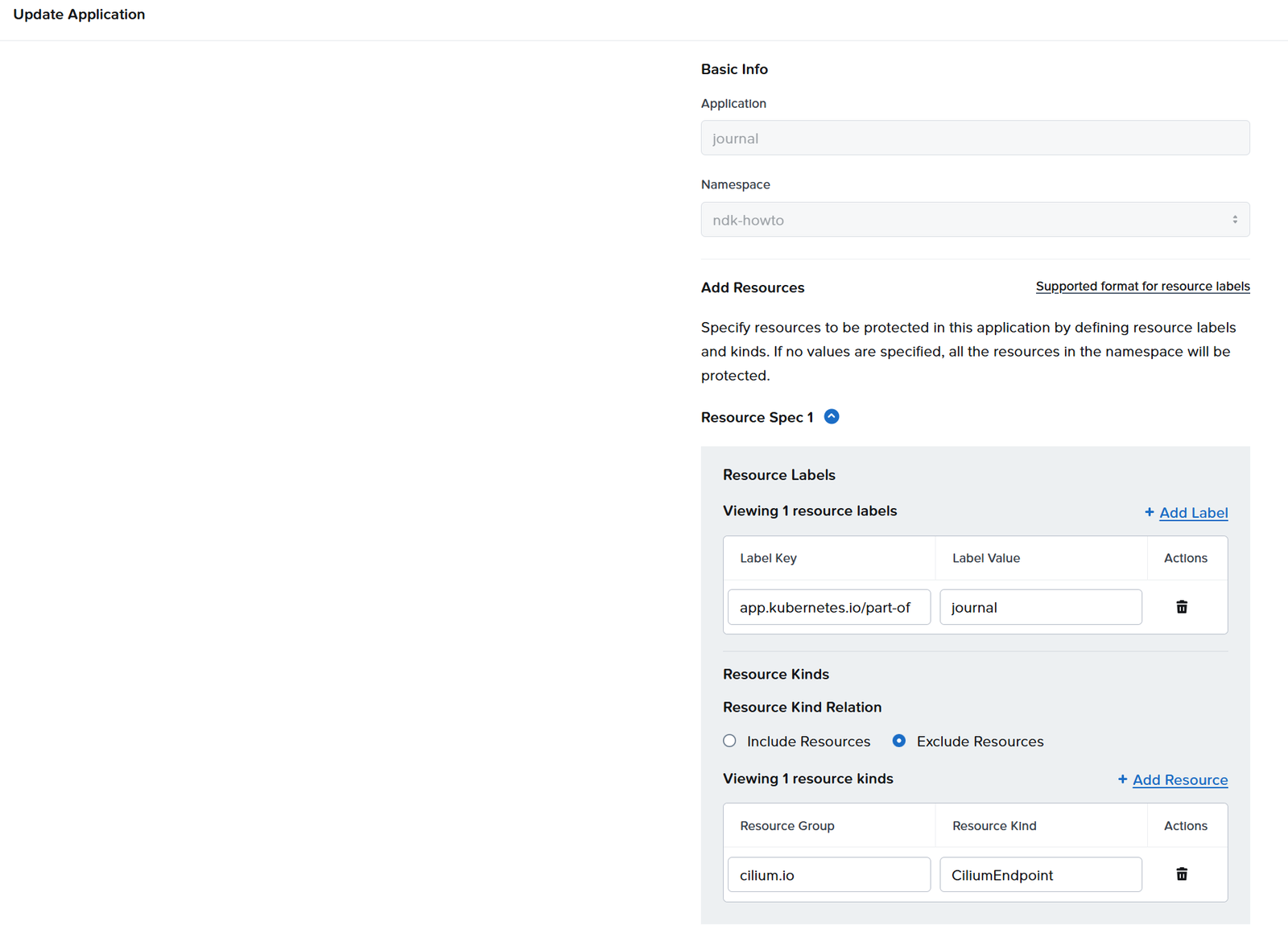
The Application is editable, snapshots are not
The Application is the one NDK object you can change after creation. We tested it by excluding the ConfigMap:
kubectl -n ndk-howto patch application journal --type=merge -p '{
  "spec":{"applicationSelector":{"resourceLabelSelectors":[{
    "labelSelector":{"matchLabels":{"app.kubernetes.io/part-of":"journal"}},
    "excludeResources":[
      {"group":"cilium.io","kind":"CiliumEndpoint"},
      {"group":"","kind":"ConfigMap"}]}]}}}'
application.dataservices.nutanix.com/journal patched
A few seconds later the summary only lists the Deployment and the PVC. Re-applying the original manifest brings the ConfigMap back. No snapshot is affected: each snapshot keeps the resource list it was taken with.
Snapshots go the other way. Try to change the expiry of an existing one:
kubectl -n ndk-howto patch applicationsnapshot journal-before-change --type=merge -p '{"spec":{"expiresAfter":"24h"}}'
Error from server (Forbidden): admission webhook "vapplicationsnapshot.kb.io" denied the request:
spec.expiresAfter: Invalid value: "24h0m0s": field is immutable, original: &Duration{Duration:72h0m0s,}
Good. A snapshot is a record. If you want a different retention, take a new one.
What the finalizers tell you
kubectl -n ndk-howto get application journal -o jsonpath='{.metadata.finalizers}'
["dataservices.nutanix.com/app"]
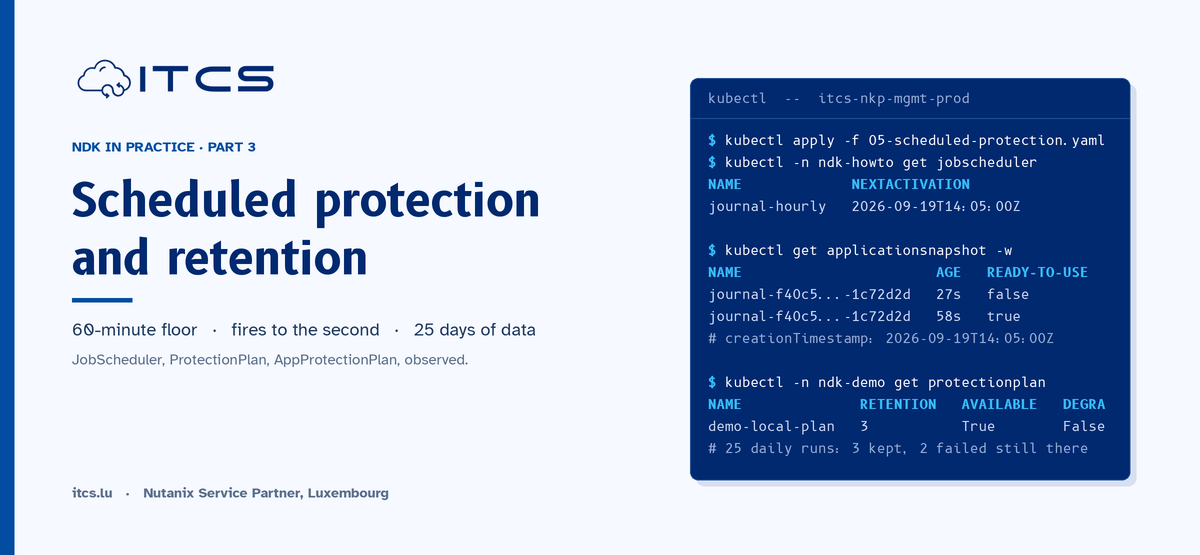
On our older ndk-demo application, which has a scheduled protection plan attached, there is a second finalizer, dataservices.nutanix.com/app-protection-plan. That is NDK telling you a plan is bound to this Application, and that deleting the Application will hang on that finalizer until the plan is gone. We come back to that in Part 3.
Summary
NDK models data protection around an Application: a label-selected set of Kubernetes objects in one namespace, with the volumes they use. The StorageCluster links the cluster to Prism, the Application says what to protect, and its status shows you exactly what NDK will put in a snapshot. Everything else in the CRD list builds on those two objects.
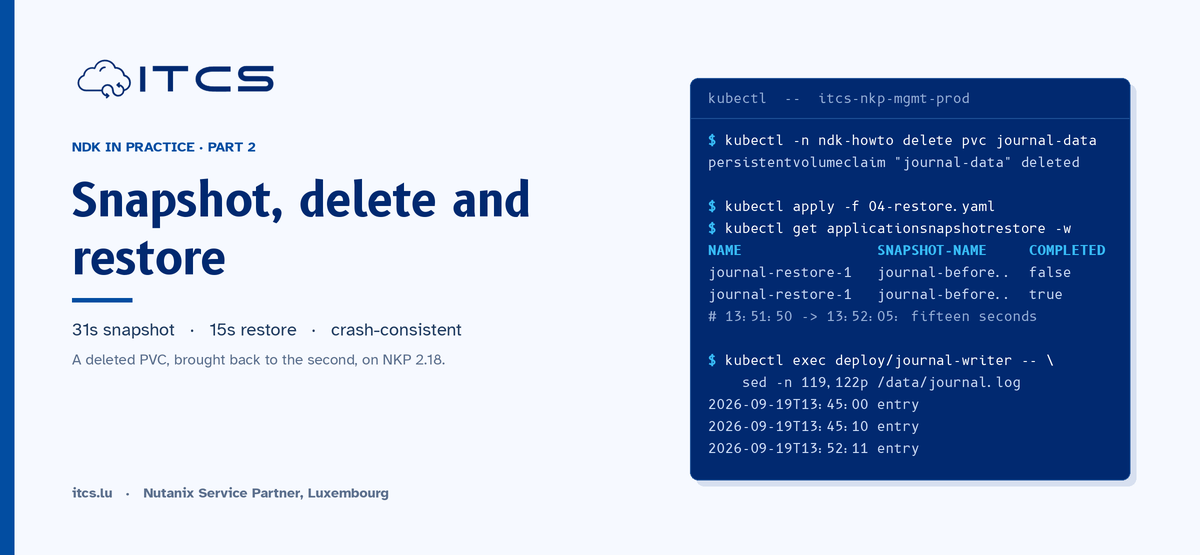
In Part 2 we take a manual snapshot of this journal, delete the application, and restore it. With a timestamped file, we can show to the second what a crash-consistent snapshot does and does not capture.