NKP 2.19.0 was released in October 2026 and 2.19.1 in November. We upgraded our air-gapped management cluster (3 control plane + 6 workers, Ultimate license, Nutanix AHV) to 2.19.0 the day after GA, then to 2.19.1, and checked the release notes against the cluster with kubectl each time.
Go to 2.19.1, not 2.19.0. It is a patch release with no new features and a list of fixes that matter for an upgrade from 2.18, a security fix in the UI and one in the MCP server. The details are in the first section. The rest of the post describes 2.19 as a whole and applies to both versions.
This is the first post of our 2.19 series. The upgrade procedure follows in five parts.
2.19.0 vs 2.19.1
What the 2.19.1 release notes list as resolved:
| Fix | Who is affected on 2.19.0 |
|---|---|
| Remote code execution in the UI's Node.js Brotli decoder (CVE-2026-111497); the UI moves to Node.js 24.22.1 | everyone |
| The NKP MCP server on the management cluster could grant cluster administrator access without authenticating the caller | connected Pro and Ultimate management clusters (the MCP server is not in air-gapped bundles) |
nkp upgrade cluster named the Nutanix registry credentials secret after the NKPCluster instead of the CAPI cluster; rolled nodes did not get the credentials and the upgrade to 2.19 was blocked |
management clusters created on 2.17, where the two names differ |
| Preflight checks failed for a mirror registry that needs no credentials | anonymous mirrors |
| A UI upgrade failed when the registry preflight check had to be skipped; the UI showed the task as running while the UpgradePlan had failed | Harbor as global registry with a public project |
| Pre-provisioned cluster upgrade from 2.18 did not complete; upgraded machines did not join | pre-provisioned clusters |
The air-gapped bundle shipped dkp-diagnostics-node-collector 0.12.0 while nkp diagnose needs 0.14.0; support bundles had no node-level logs |
air-gapped clusters |
| Metal Host Inventory not visible with the Workspace Admin role | NKP Metal |
Two known issues are new in the 2.19.1 notes:
- A ClusterClass workload cluster that uses a public registry mirror and was created without mirror credentials can stall in
UpgradingPlatformApplications. The upgrade setsociRegistry.secretRefto<cluster-name>-oci-credsand nothing creates that secret. Workaround from the notes: create an empty secret of that name in the workspace namespace on the managed cluster. - With Prism Central 7.6 and AOS older than 7.6, the UI offers only "None" as GPU mode when you create a cluster or a node pool.
What we measured on the bundle and the cluster:
| 2.19.0 | 2.19.1 | |
|---|---|---|
| Kubernetes / node image | 1.36.2 / Rocky 9.8 | unchanged, same image |
| Image references in the bundle | 449 | 449 |
| Kommander and applications collection | v2.19.0 | v2.19.1 |
| Kommander UI | 17.313.79 | 17.313.87 |
| Diagnostics node collector | v0.12.0 | v0.14.0 |
| Cluster API stack operator | 0.6.29 | 0.6.30 |
| Cluster API runtime extensions | 0.62.7 | 0.62.8 |
| Platform apps, Cilium, MetalLB, CSI, CAPI, CAPX | unchanged | |
Supported upgrade path (Release object) |
from 2.18.0 | from 2.19.0 only |
nkp upgrade kommander on our lab VMs |
43 min | 22 min |
| Node roll | yes, 9 nodes in 60 min | none: same Kubernetes version, same node image |
On 2.19.1 the upgrade is the Kommander step only. The cluster upgrade command returns Cluster "itcs-nkp-mgmt-prod" is already using the latest supported Kubernetes version "1.36.2" and changes nothing.
Workload clusters need one more step: an UpgradePlan with version: v2.19.1. It took under a minute per cluster and replaced no node (Part 5).
From 2.18, the Release object in each bundle declares a single source version, so the path is 2.18.0 to 2.19.0 to 2.19.1. The second hop is short. Plan both in the same change window.
Unchanged on 2.19.1: the five version rows below, the Gatekeeper audit memory default, the single-replica nkp-cluster-webhook (Part 3), and the --kommander-applications-repository flag in the CLI help.
What Nutanix announced
Three themes: Kubernetes on bare metal, AI workloads, simpler lifecycle management.
| Area | 2.18 | 2.19 |
|---|---|---|
| Bare metal | - | NKP Metal: Kubernetes on physical servers through Foundation Central, with its own node OS image |
| AI | AI Navigator | AI applications catalog (KAI Scheduler, Slurm Operator, Kueue, Kubeflow Pipelines, JupyterHub, Milvus Operator), GPU scheduling and slicing through Kubernetes dynamic resource allocation for NVIDIA and AMD, CNCF AI conformance, an MCP server enabled by default on connected Pro and Ultimate management clusters (not in air-gapped bundles) |
| Upgrade model | Kommander, then every workspace, then every cluster | Kommander, then one command or one click per cluster with automated preflight checks (nkp upgrade workspace deprecated) |
| Kubernetes | 1.35.2 | 1.36.2 |
| Node OS | Rocky Linux 9.7 and Ubuntu 24.04 pre-built images | Rocky Linux 9.8 and Ubuntu 24.04 pre-built images; RHEL 9.8 is supported but you build that image yourself with the NKP image builder |
| Container runtime / etcd | containerd 2.1.6 / etcd 3.5.24 | containerd 2.3.1 / etcd 3.6.8 |
| Cluster API / CAPX | 1.12.4 / 1.9.2 | 1.12.11 / 1.10.15 |
| Nutanix CSI | 3.7.x | 3.9.0 |
| Cluster dashboard | Kubernetes Dashboard | Headlamp (enabled by default on new deployments, not on upgraded ones) |
| Catalogs | Git and OCI sources | OCI only (GitRepository catalogs removed), new substitution variables for catalog apps |
| Prism Central | pc.7.3 / AOS 7.3 minimum | pc.7.5 and pc.7.6; Projects 2.0 (one project per cluster); every cluster registered in Prism Central through the Konnector agent |
| Image registry (connected) | - | Nutanix registry on Docker Hub with a portal token; air-gapped clusters keep their mirror |
| AHV VMs | - | VM management through Kubernetes APIs with a VM Operator (announced in the 2.19.0 notes and no longer listed in the 2.19.1 revision; no image for it in either air-gapped bundle) |
| Air-gapped bundle | applications tarball + 3 image tars | no applications tarball, 6 image tars, a Release metadata artifact |
Deprecated or removed in 2.19, per the notes: nkp upgrade workspace, the --kommander-applications-repository flag on nkp install kommander and nkp upgrade kommander, GitRepository-based catalog applications, and the Kubernetes Dashboard platform app.
The version table vs the cluster
We compared the component and application tables in the release notes with the images that run after the upgrade.
Matches: Kubernetes 1.36.2, etcd 3.6.8, containerd 2.3.1, CAPI 1.12.11, CAPX 1.10.15, Cilium 1.19.4, CSI 3.9.0, kube-vip 1.1.1, and every platform app we run on 2.19.0.
Five rows differ. In each case the cluster runs a newer build than the table. The application table is the same in the 2.19.1 revision of the notes, so on 2.19.1 three more rows differ: Kommander and its app management (0.19.1, listed as 0.19.0) and the UI (17.313.87, listed as 17.313.79).
| Component | Release notes | Our cluster |
|---|---|---|
| MetalLB | 0.15.2 | v0.15.3 (controller and speaker) |
| Cluster Autoscaler | 1.36.0 | v1.36.1 |
| Dex | 2.37.0 | v2.42.0 |
| Thanos | 0.39.2 | v0.41.0 |
| Trivy (NKP Insights table) | v0.64.* | 0.69.3 |
Also worth knowing:
- AI Navigator 0.9.0 and NKP Pulse 0.5.1 are in the supported-applications table. The air-gapped bundle has no image for them, and an air-gapped cluster has no
ClusterAppfor them. - The Nutanix cloud provider (0.8.12) and the Konnector agent (1.4.2) run on every cluster. They are not in the component table.
If you keep a version inventory, read it from the cluster:
kubectl get pods -A -o jsonpath='{range .items[*]}{range .spec.containers[*]}{.image}{"\n"}{end}{end}' \
  | sort -u | grep -E 'metallb|cluster-autoscaler|/dex:|thanos:|trivy:'
What the upgrade installs
The upgrade is a custom resource
The Upgrade button in the UI creates one object: an UpgradePlan (upgrade.nkp.nutanix.com/v1alpha1). A GitOps-driven upgrade does not.
- Spec: target NKP version, Kubernetes version, control plane and worker image names, a reference to the
NKPCluster. - Controller:
upgrade-plan-controller-manager. - Phases: ValidatingInputs, UpgradingManagementPlane, UpgradingKommander, UpgradingPlatformApplications, UpgradingKubernetes, Upgraded or Failed.
- Admission webhook: calls Prism Central before the object is accepted. It reads the PC version from
/api/prism/v4.4/config/domain-managersand checks both image names with/api/vmm/v4.3/content/images.
The object is small. You can write it by hand and keep it in git.
kubectl get upgradeplans -A
kubectl get upgradeplan <name> -n <ns> -o jsonpath='{range .status.steps[*]}{.name}: {.state}{"\n"}{end}'
The NKP Metal provider is installed everywhere
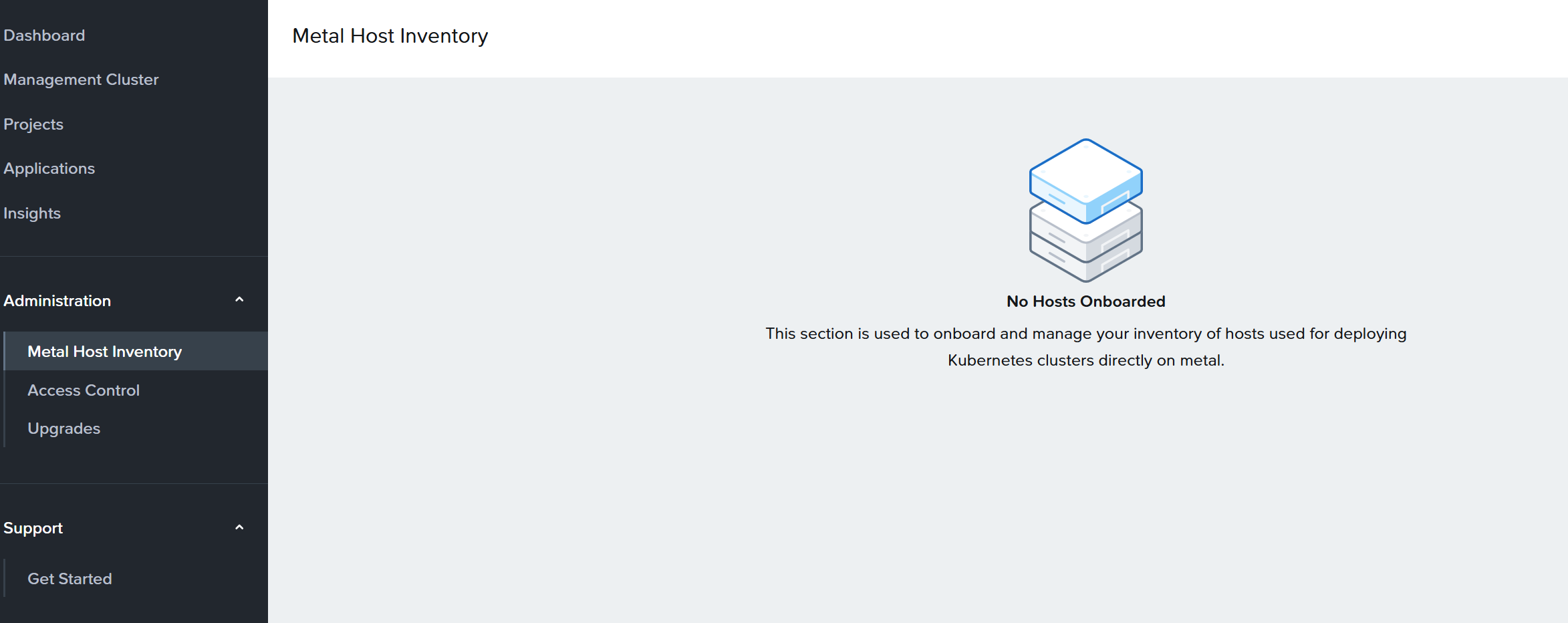
The Kommander upgrade installs cluster-api-provider-host-agent (0.9.4) as an InfrastructureProvider. It also adds a nkp-host-agent ClusterClass in every workspace namespace. This happens on AHV-only clusters too, as it already did for the AWS, Azure, GCP and vSphere providers. Add it to your controller and CRD inventory. The UI gets a Metal Host Inventory page, empty on AHV.
kubectl get infrastructureproviders -A
kubectl get clusterclasses -A | grep host-agent
Platform apps on attached clusters upgrade with Kommander
The notes say that after the Kommander upgrade the UI shows the new application versions for every workspace, while clusters you did not upgrade still run the previous versions.
On our clusters the applications were really upgraded. The Kommander upgrade rewrites every workspace AppDeployment to the 2.19 versions. Both attached clusters, still on NKP 2.18 and Kubernetes 1.35, reconciled them through their own Flux: cert-manager 1.20.3, Gatekeeper 3.23.0, Traefik chart 39.0.7, kube-prometheus-stack 87.16.0.
Consequence: workload clusters need scheduling headroom on the day of the Kommander upgrade.
# on a workload cluster, right after the Kommander upgrade:
kubectl get hr -A -o custom-columns='NS:.metadata.namespace,NAME:.metadata.name,CHART:.status.lastAttemptedRevision,READY:.status.conditions[0].status'
A machine-readable compatibility matrix
The bundle has a new tar, nkp-release-specs-<version>.tar. It holds a Release custom resource (release.nkp.nutanix.com/v1alpha1) with:
- compatible AOS and Prism Central versions: 7.5, 7.5.1, 7.6
- supported Kubernetes versions: 1.36.2, 1.35.2, 1.34.3, 1.34.1
- the supported upgrade path: one source version
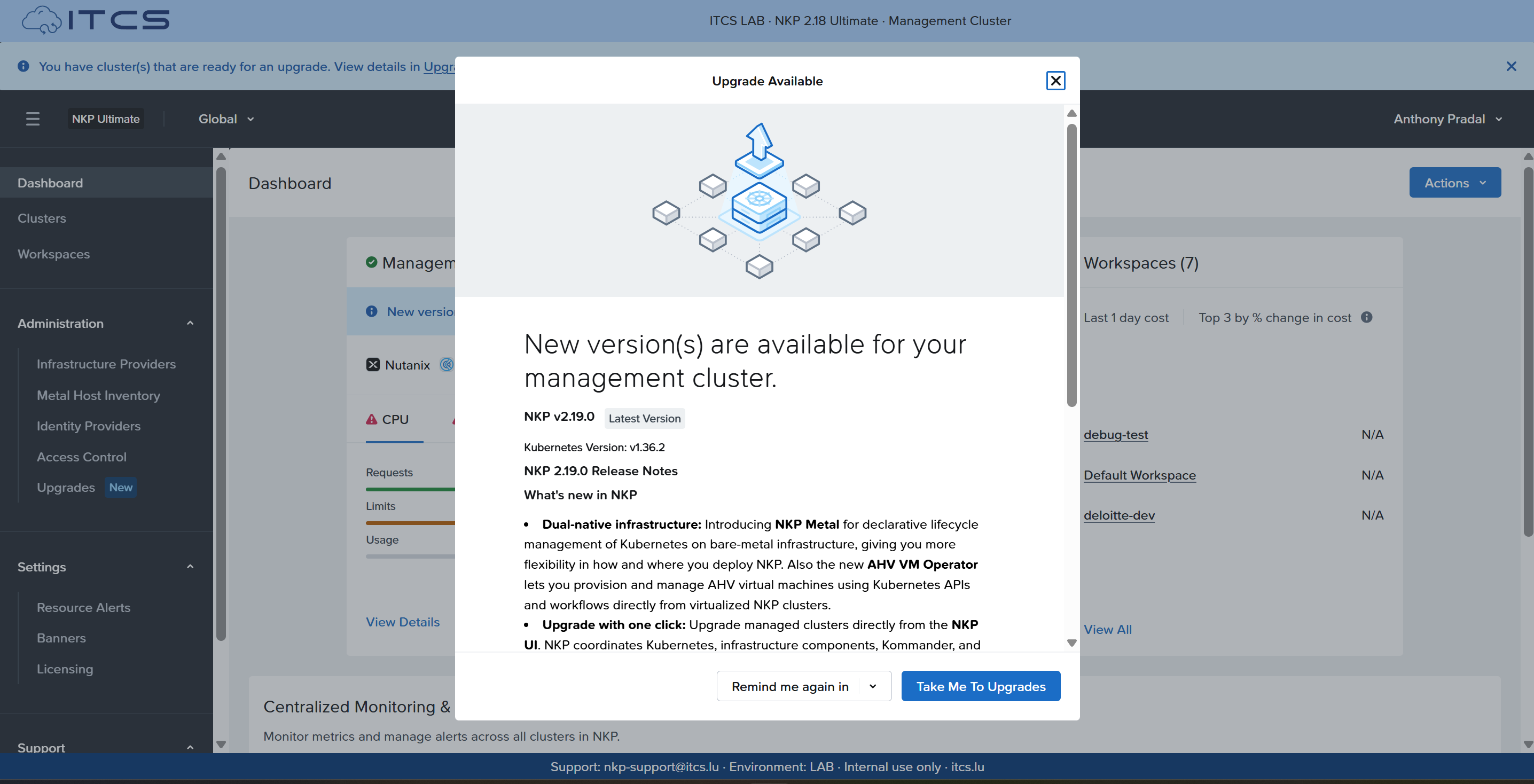
The UI reads this object. After the Kommander upgrade, the first login shows the available version and its release notes.
kubectl get $(kubectl api-resources --api-group=release.nkp.nutanix.com -o name) -A
Kubernetes Dashboard and Headlamp
As documented, the upgrade leaves the Kubernetes Dashboard running: AppDeployment kubernetes-dashboard 7.14.1, four kubernetesui/* pods. Headlamp 0.45.0 is available as a platform app. It is enabled by default on new deployments only.
If you installed Headlamp from a catalog on 2.18, its AppDeployment has the same name as the platform app. Remove the catalog one before you enable the platform one.
KubeFed
The 2.19 guide no longer has a KubeFed chapter. The kubefed ClusterApp (0.12.1) is still shipped and installed. It still federates workspaces, projects and RBAC.
NATS
The konvoy bundle contains three NATS images: nats:2.10-alpine, nats-box and the config reloader. No pod on our management cluster runs them, on 2.19.0 or 2.19.1. The guide and the notes do not describe a NATS component. We will look at what NKP uses it for in a later post.
The deprecated flag in the CLI help
The notes say --kommander-applications-repository is no longer supported. nkp upgrade kommander --help still lists it, with the release version as default. Do not pass it. The applications collection now ships as an image, mesosphere/kommander-applications/collection.
vSphere provider memory
On 2.18 the vSphere provider controller was OOMKilled at its 150Mi limit on our AHV cluster: 910 restarts in two days. 2.19 sets 384Mi. Zero restarts since.
Node stack changes
| 2.18 node | 2.19 node | |
|---|---|---|
| OS | Rocky Linux 9.7, kernel 5.14.0-611 | Rocky Linux 9.8, kernel 5.14.0-687 |
| containerd | 2.1.6 | 2.3.1 |
| etcd | 3.5.24 | 3.6.8 |
| kube-proxy | none (Cilium) | none (Cilium) |
| Multus | 4.2.4, unused | 4.2.4, unused |
etcd 3.5 to 3.6 is a major version. etcdctl endpoint status reports storage version 3.6.0. A snapshot taken before the upgrade is a 3.5 snapshot. Check that your restore procedure matches the version you restore into.
On the management cluster:
- Two new operators,
ReleaseandUpgradePlan, run next toNKPClusterandManagementPlane. - The CAPI stack operator moves from 0.4.x to 0.6.29 (0.6.30 on 2.19.1). 13 providers are Ready at their new versions afterwards.
Deprecated does not mean removed
After the upgrade:
- The Kubernetes Dashboard still runs.
- KubeFed still runs.
- The CLI still accepts
--kommander-applications-repository. - GitRepository catalogs are removed.
nkp upgrade kommanderchecks for them first.
Before you delete a GitRepository catalog source, check what uses it. When we deleted two sources, the catalog controller removed the 22 App objects they owned.
kubectl get apps -A -o custom-columns=NS:.metadata.namespace,NAME:.metadata.name,SRC:.spec.sourceRef.kind,REF:.spec.sourceRef.name | grep GitRepository
kubectl get appdeployments -A -o custom-columns=NS:.metadata.namespace,NAME:.metadata.name,APP:.spec.appRef.name
Gatekeeper audit memory
gatekeeper-audit is OOMKilled at the chart default of 512Mi. The 2.18 notes list it as a known issue. The Gatekeeper 3.23.0 chart in 2.19.0 and 2.19.1 keeps the same default.
On our cluster: 6,125 restarts in 104 days at 512Mi, still OOMKilled at 1Gi, stable at 2Gi. Part 2 has the override.
kubectl get pod -n kommander -l gatekeeper.sh/operation=audit \
  -o custom-columns='NAME:.metadata.name,RESTARTS:.status.containerStatuses[0].restartCount,LIMIT:.spec.containers[0].resources.limits.memory'
Should you upgrade?
Yes, to 2.19.1. On our cluster the Kommander upgrade finished without a timeout and the node roll replaced 9 nodes in an hour.
Check four things first, each covered in the series:
- Free space on the Prometheus volume. The chart bump restarts Prometheus and a full volume crash-loops on WAL replay (Part 2).
- Admission webhooks with one replica and
failurePolicy: Fail. A node drain takes them down, and the UI can show Failed while the roll continues (Part 3). - Whether your node subnet is Network Controller managed. Cilium's DSR default does not work there (Part 4).
- PodDisruptionBudgets with zero allowed disruptions on every cluster, NAI's PostgreSQL in particular (Part 5).
Start with Part 1, preparation and the air-gapped push.